Tournament software and registration portal for dance competitions
With Tournament One you organise and manage dance competitions from the announcement to the certificate. Schools and dancers register themselves and find start lists, their music, award lists, results and schedules in one place.
What Tournament One handles for you
Simple
Understandable for everyone. Start lists, result lists and certificates included.
Web-based
No installation. Runs on PC, tablet and phone.
All in one
Registration portal and tournament software in the same system.
One price
EUR 4 per dance and competition. No further costs.
The registration portal
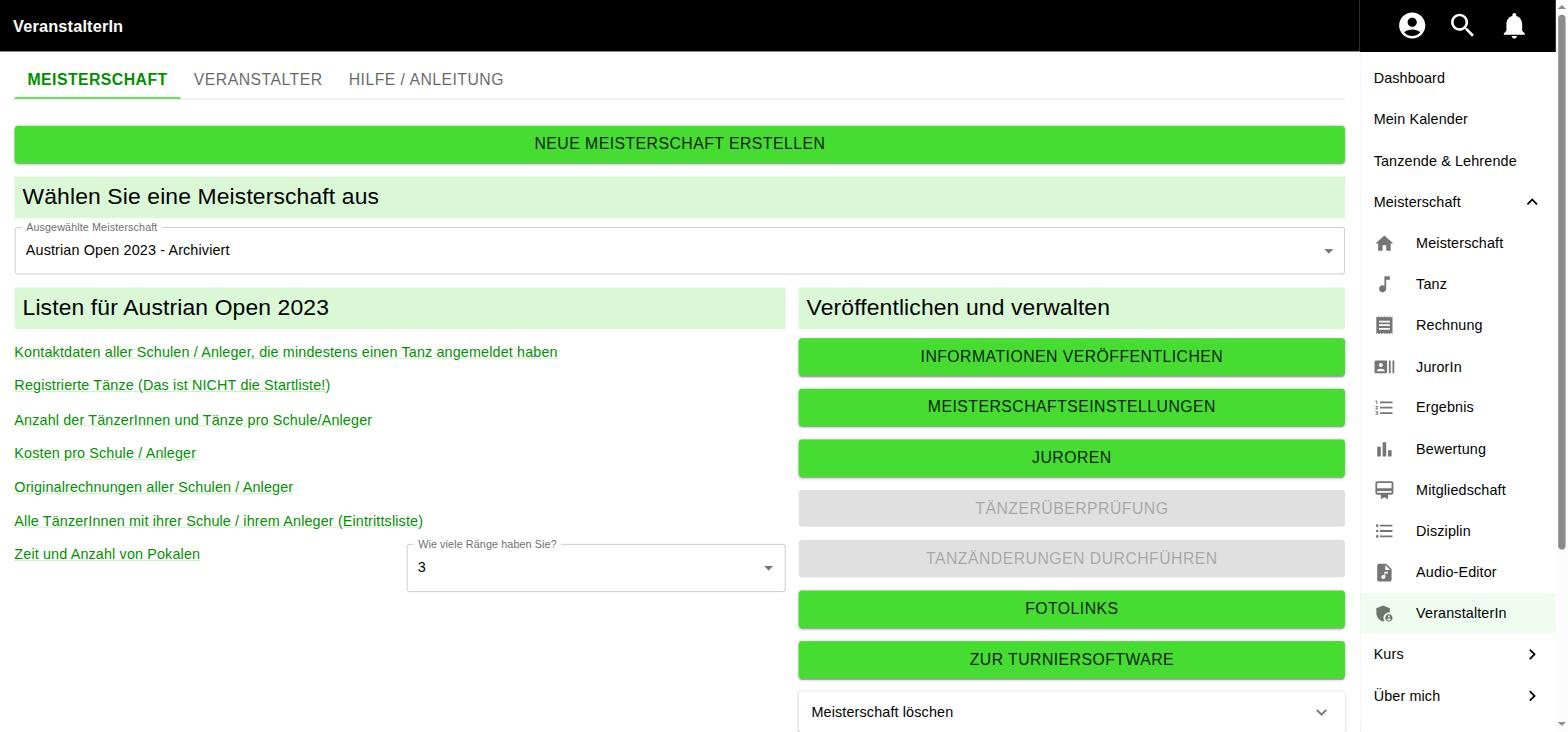
For organizers
Create and manage competitions through the online platform – even with little IT knowledge. All information such as venue, date, time and start lists is collected on one clear page that everyone involved can access.
Tedious email conversations disappear because dance schools and dancers manage their own dances and music. You keep an overview of registrations and income at all times.
- Create and publish a competition
- Registrations and income at a glance
- Automatic invoice generation
- A public competition page for everyone involved
- Schedules and start lists provided centrally
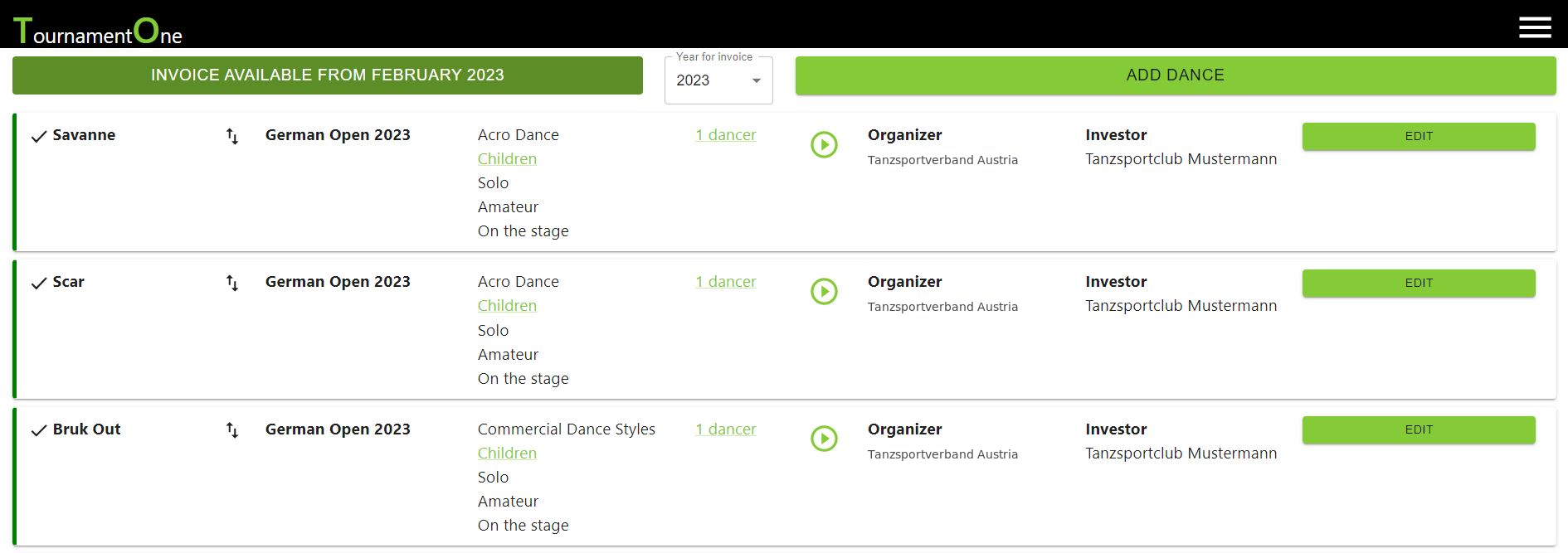
For dance schools and dancers
Dancers and schools get a clear list of their registered dances, the dancers involved and the uploaded music. After the competition the system provides statistics, award lists and rankings.
- Manage your own dances and music
- View start lists and schedules at any time
- Results and rankings after the event
- Award lists and statistics automatically
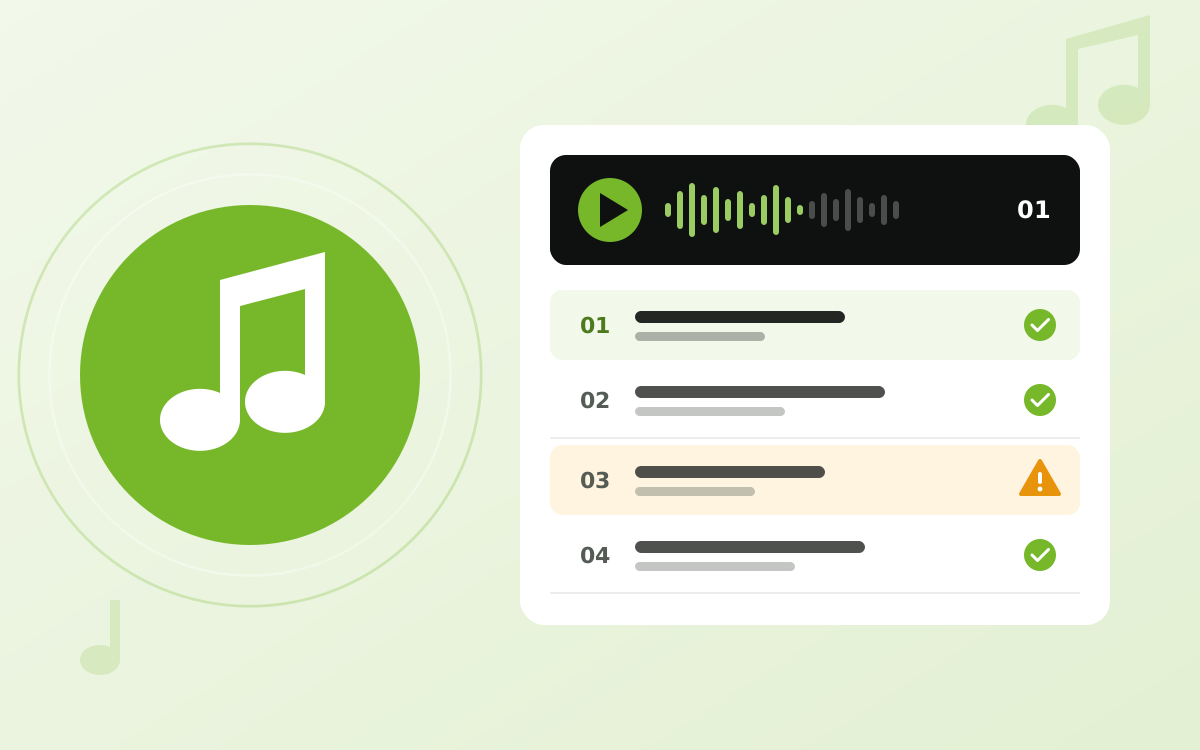
Music prepared by AI
Our AI automatically arranges the uploaded music in the order of the start list. On competition day the sound technician no longer has to search for tracks – they simply play the next one.
The AI also checks every track for swear words and vulgar language. If anything is found, the person who registered the dance and the competition organizer are notified automatically – leaving enough time to replace the music.
- Music automatically in start order
- Just press play – no searching for tracks
- Detection of swear words and vulgar language
- Notification to the registrant and organizer

Your dashboard: everything at a glance
Log in and know exactly where you stand: the dashboard greets you personally and shows your next competition with a countdown, date and venue. One look tells you whether the start list, schedule and additional info are already online – and one click takes you right there.
Dance schools see which dances are fully registered and where something is still missing. Organizers have the registrations and revenue of every competition right in front of them. No more searching, clicking around or doing the math.
- Countdown to the next competition
- Status of start list, schedule and additional info
- Complete and incomplete registrations of your school
- Registrations and revenue per competition

Never miss a thing
New start list published? Schedule changed? Live start list activated? As soon as something happens at your competition, it lands in your notifications automatically – for organizers, dance schools and dancers alike. No chasing updates by email, no constant page reloading.
Want it even faster? Turn on push notifications and every important message goes straight to your smartphone – worth its weight in gold on competition day.
- Automatically informed about new documents and changes
- All news in one central place
- Optional push messages to your smartphone
- Filter and “mark all as read” for a quick overview

The start list that keeps up
Competition days rarely go exactly to plan – and the live start list knows it. It updates automatically during the competition and openly shows how many minutes the schedule is running behind. So every dancer knows when it's really their turn.
Tick “Show only my dances” and the list shrinks to what matters. Auto-scroll keeps the current dance in view, and anyone who prefers paper can download the list as a PDF.
- Live updates during the competition
- Schedule delay at a glance
- “Only my dances” filter and auto-scroll
- PDF download at any time
The tournament software
Once participants have registered, you run the competition with it: build start lists, send dances to the judges, record results.
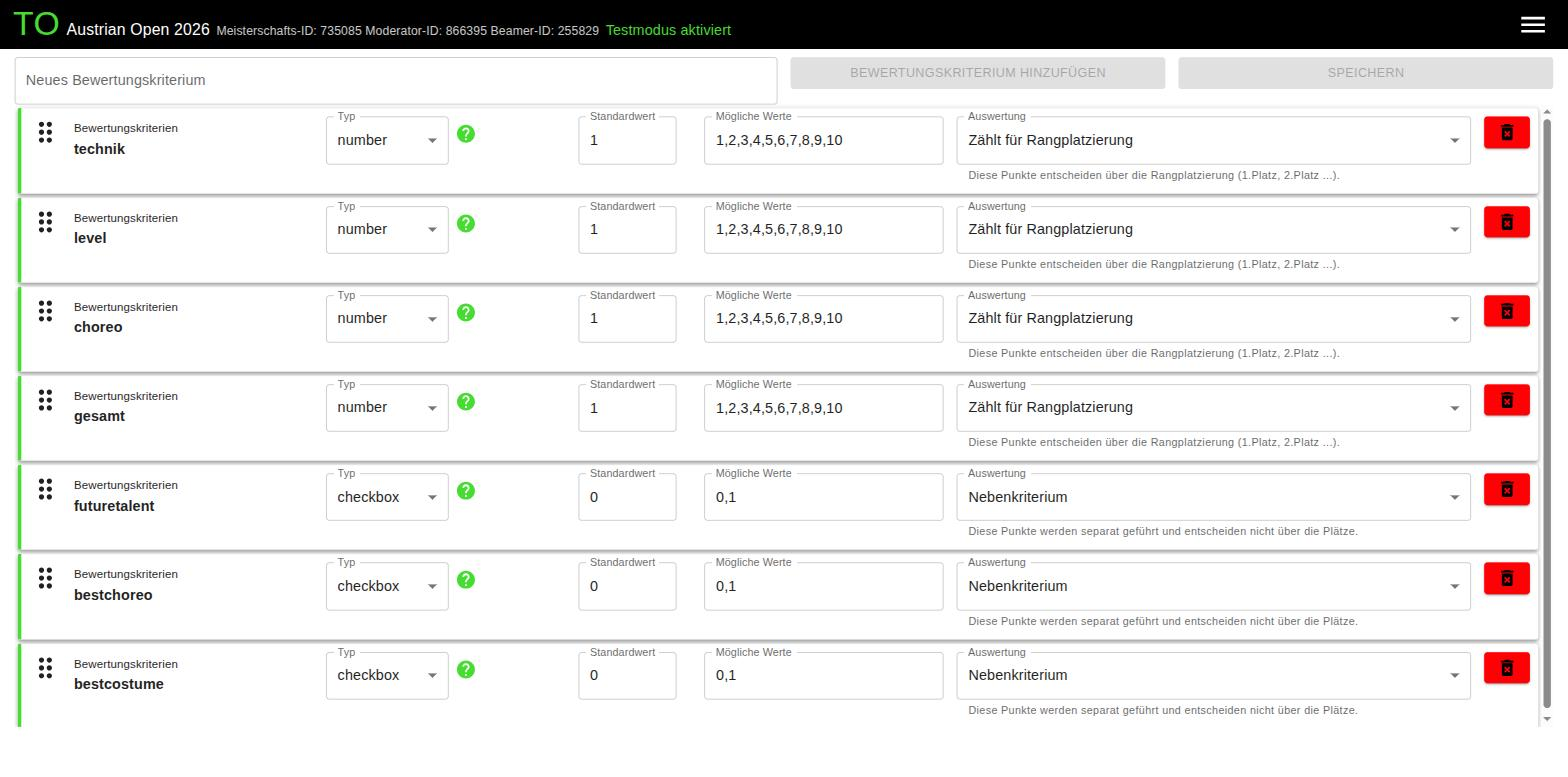
Define your own judging criteria
What do you want to score? You set the criteria and their weighting individually – differently for every competition, if you like.
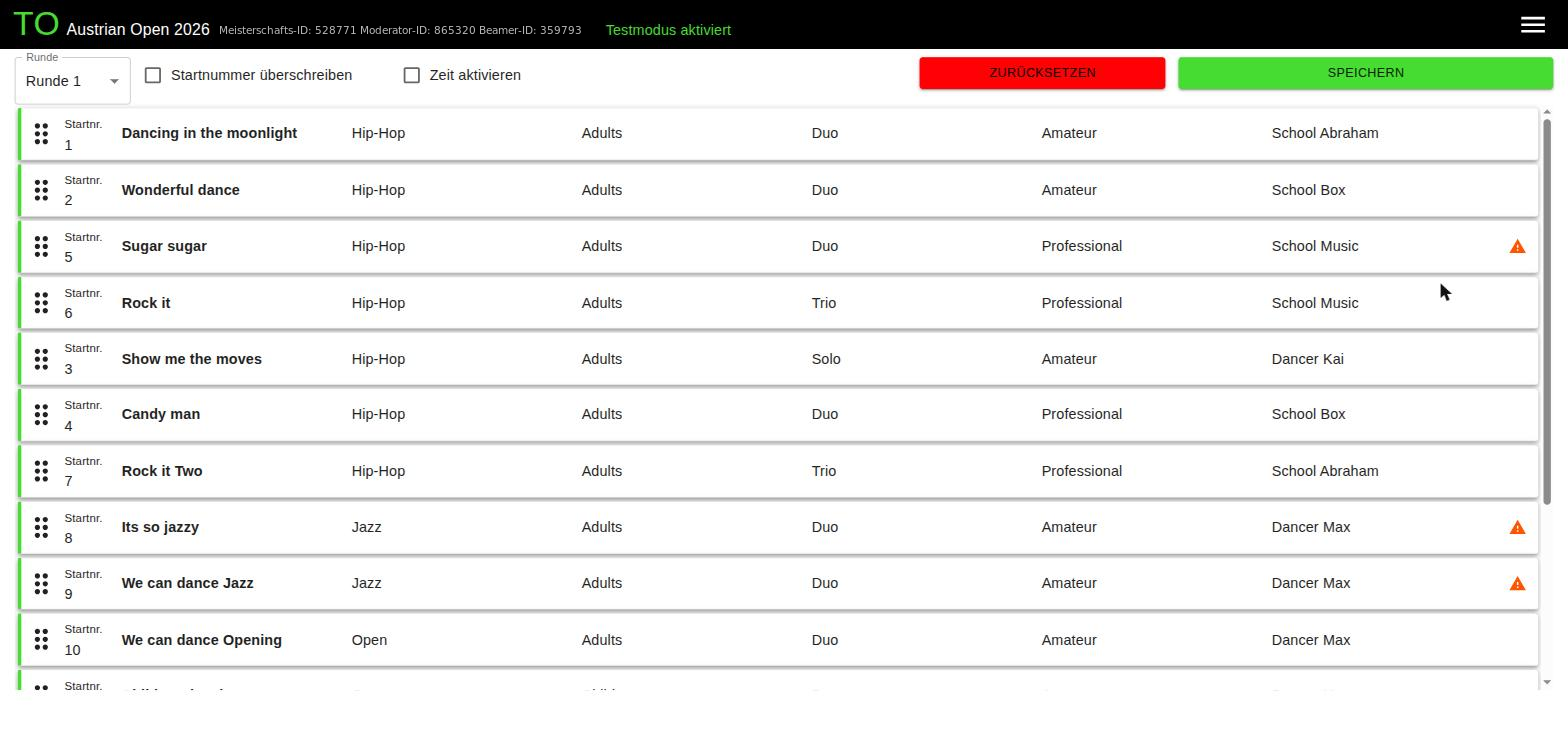
Start lists with calculated times
An algorithm shifts the dances in the background so that waiting times are kept to a minimum. You also set times – easy for anyone to understand.
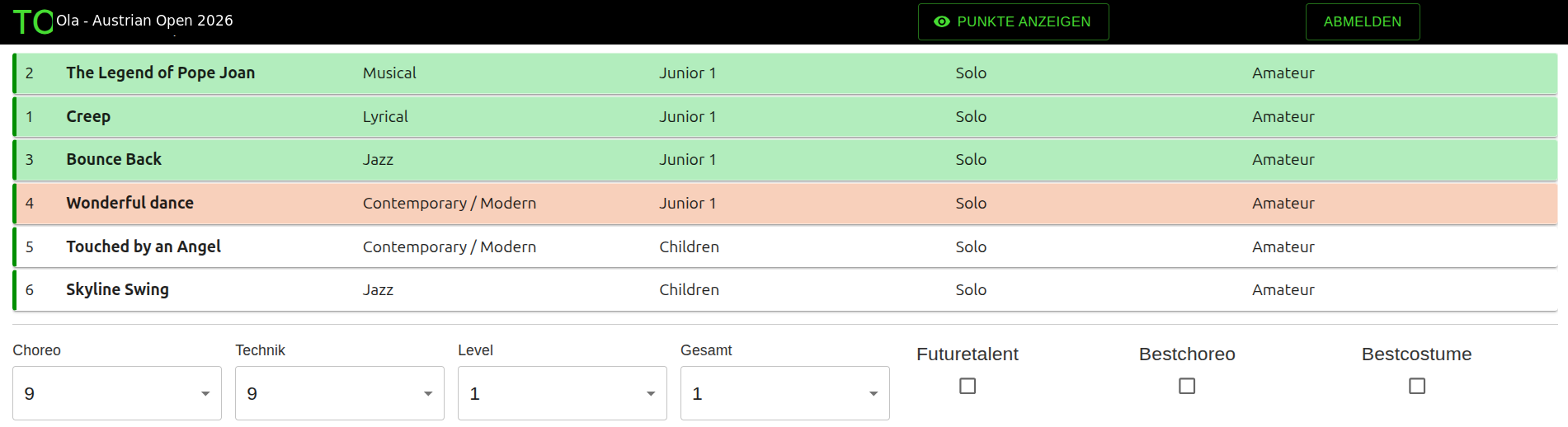
Digital judging
Judges score the dances on any mobile device. No paper, no retyping, no arithmetic errors.
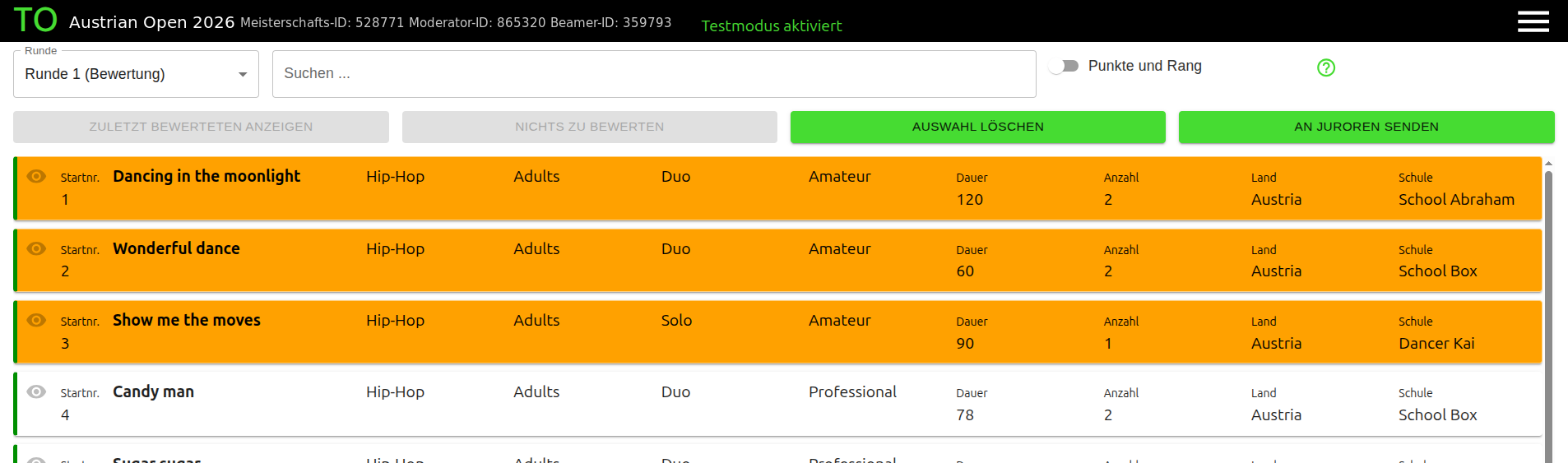
Send dances to the judges
As an organizer you send the dances to the jury for scoring with one click – in the order you define.
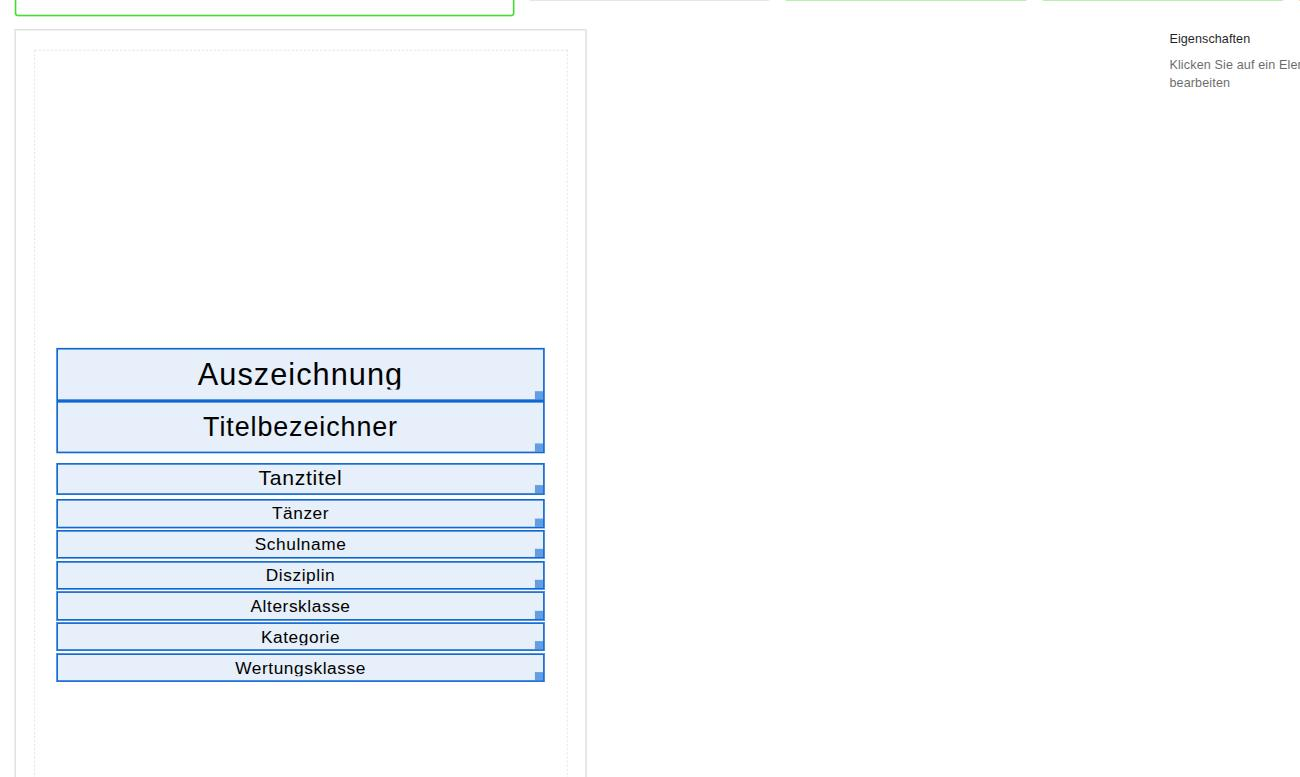
Certificates via drag & drop
Adjust your certificates right in the browser: move fields, set the layout, done.
And much more that supports you in running your competition.
How a competition runs
-
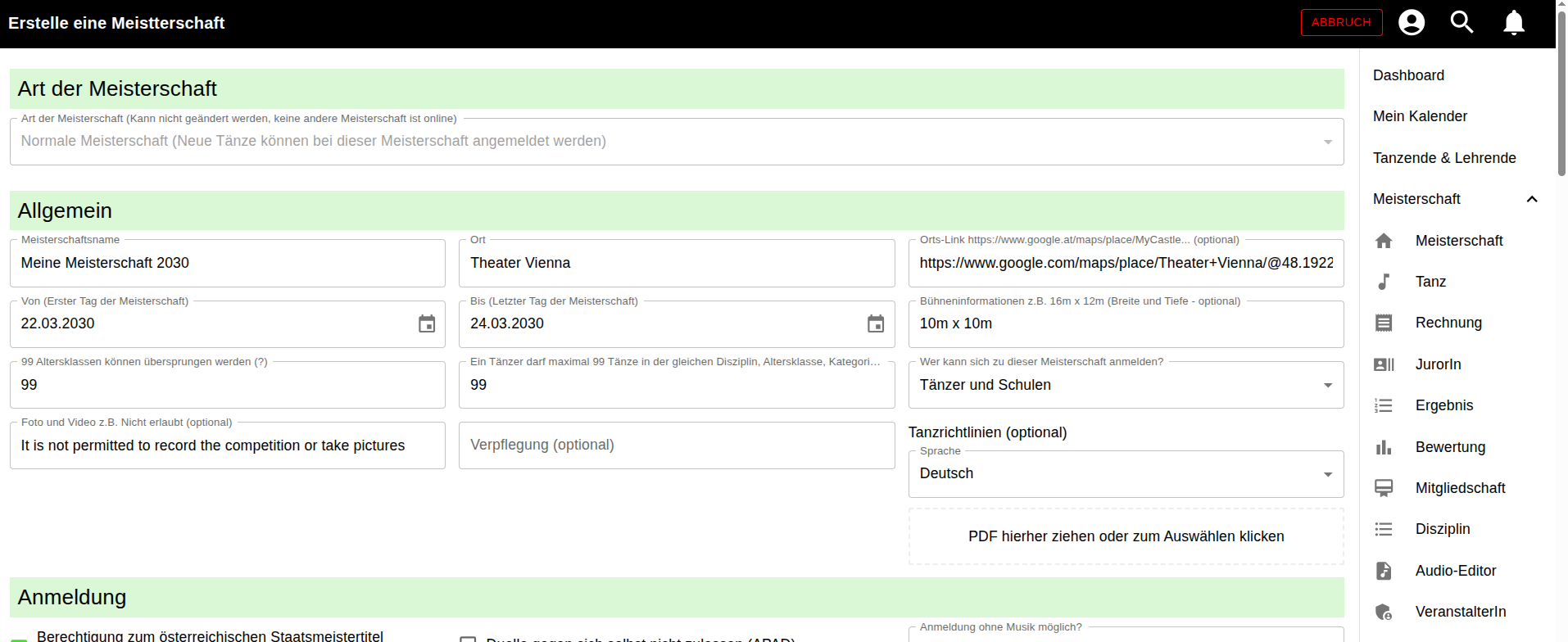
Create the competition
Enter venue, date, events and prices, then publish. No IT knowledge, no installation.
-
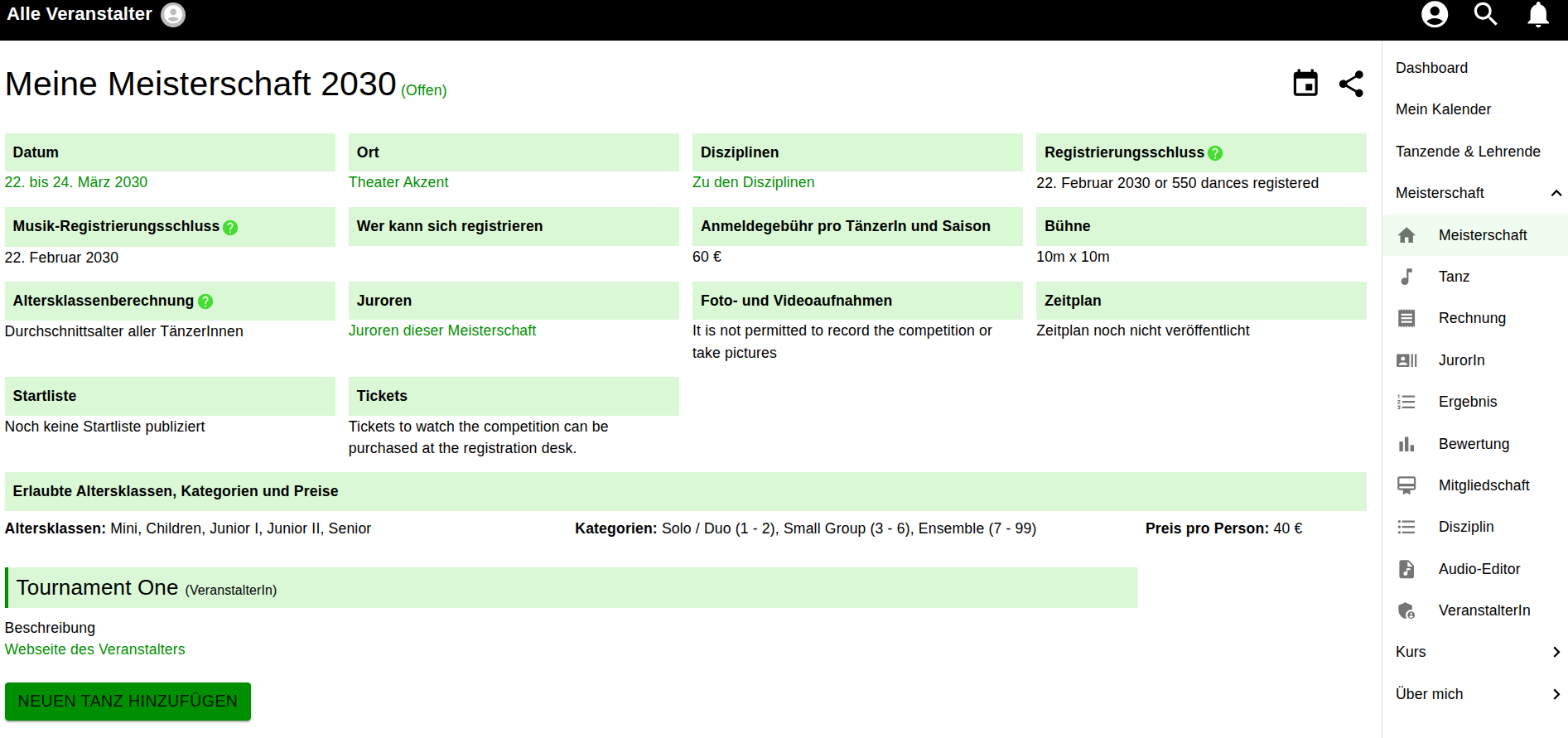
Collect registrations
Schools and dancers register their dances, upload their music and see all information themselves. No more email chains.
-
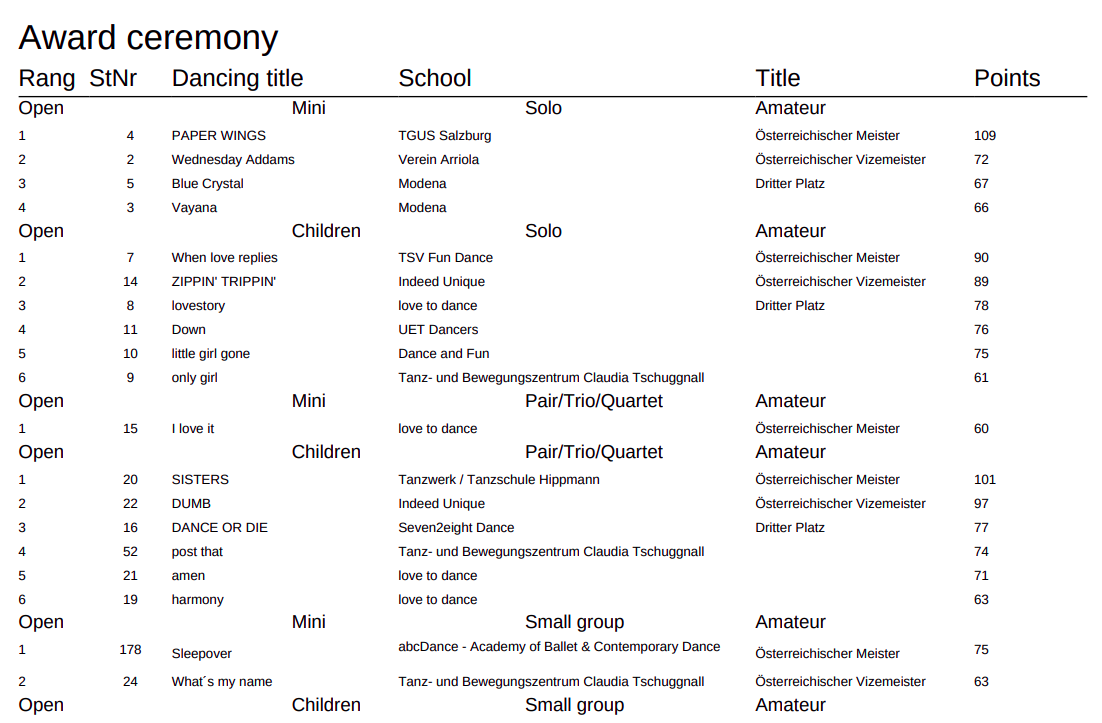
Run it and evaluate
Build the start list, send dances to the judges, scores come in digitally. Rankings, award lists, statistics and certificates are generated for you.
What it costs
EUR 4
per dance and competition
- Registration portal and tournament software included
- No further costs – everything included
- You only pay when you actually run an event
Help where you need it
There is nothing to read before you start. The application explains itself as you work.
A tutorial on your first visit
A tutorial inside the application walks you through the beginning: create the competition, define the events, open registration. You see what comes next on the real interface – without having read anything first.
Help icons on every page
There is a help icon everywhere in the application. One click explains the exact page you are on – what the fields are for and what the next step is. You stay right where you are.
If you would rather read or watch
On top of that there is the detailed written documentation covering every step from the registration portal to the certificate, plus video guides on the scoring system.
Create your first competition in the system – without publishing it – and import the test data.
Frequently asked questions about competitions
Do I need IT knowledge to create a competition?
No. The competition is created in the browser using forms. If you have a question, you can reach the developer directly by email.
What do judges score with?
Their own device. Scoring runs in the browser on a smartphone, tablet or laptop – no installation and no app required.
Can I define the judging criteria myself?
Yes. You decide which criteria are scored and how they are weighted.
How are the start lists created?
An algorithm distributes the dances so that waiting times are kept low. You also set times and can adjust the result.
Can I test the system beforehand?
Yes. Create a competition without publishing it and import the test data that comes with it.
Try it at your next competition
Create an account, set up a competition without publishing it, import the test data. Free of charge.